Microsoft Purview Data Lifecycle Management
Organisation-wide retention policies with static scope, plus item-level retention labels targeted via adaptive scope.
Difficulty
Advanced
Environment
Microsoft 365 / Purview
Deployment
Production
Est. Implementation
2–3 weeks
Executive Summary
This project implements Microsoft Purview Data Lifecycle Management, combining an organisation-wide retention policy with static scope and an item-level retention label targeted dynamically to Finance-department users via an adaptive scope query.
The result is a baseline governance layer — a 7-year retain-then-delete policy across Exchange, SharePoint, OneDrive, Teams and Microsoft 365 Groups — with a Finance-specific record label published on top for content that needs different, item-level retention treatment.
Business Problem
Data accumulated across Microsoft 365 without a formal lifecycle framework, creating regulatory exposure for records that must be retained for defined periods, storage and cost inefficiency from data retained indefinitely, GDPR liability from over-retained personal data, and inconsistent governance dependent on individual users remembering to act.
Regulations such as APRA, FCA and SEC guidance require specific retention periods for financial records; compliance cannot be built on individual memory, and it must scale to the entire organisation without manual per-user configuration.
Business Risks
- Regulatory exposure from records not retained for required periods
- Storage and cost inefficiency from unmanaged data accumulation
- GDPR liability from personal data retained beyond its need
- Inconsistent governance dependent on individual user action
Compliance Concerns
- Financial record retention obligations (7-year baseline)
- GDPR data minimisation and storage limitation
- Consistent, auditable retention evidence
Solution Overview
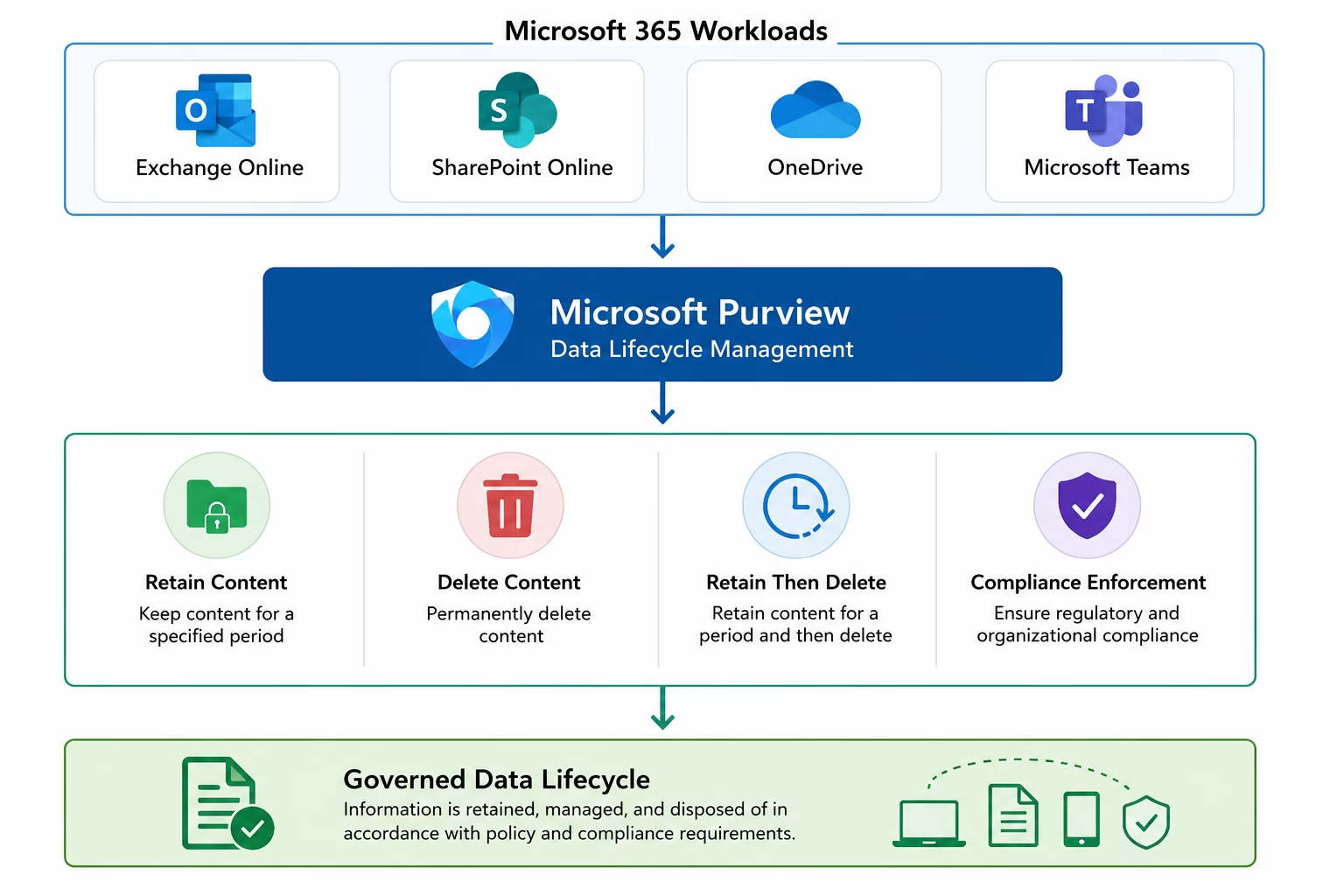
A tenant-wide retention policy (MS102-Retention-Policy) was configured with static scope covering Exchange Online, SharePoint Online, OneDrive, Microsoft Teams and Microsoft 365 Groups, retaining and then deleting content after 7 years as the organisational baseline.
On top of that baseline, a retention label (MS102-Finance-Record, also 7 years, retain-then-delete) was published specifically to Finance department users via an adaptive scope querying the Department attribute — meaning new Finance users are automatically included without manual list maintenance. When both a policy and a label apply to the same content, the longer, more protective retention period wins.
Architecture
Technology Stack
Microsoft Purview Data Lifecycle Management
Retention policies, labels and adaptive scopes
Retention Policies (Static Scope)
Organisation-wide baseline retention across workloads
Retention Labels
Item-level retention control layered on top of the baseline
Adaptive Scopes
Attribute-driven, dynamic targeting (Department = Finance)
PowerShell / Microsoft Graph
Policy auditing, label export and adaptive scope publishing
Lab Environment
- Tenant
- Patchthecloud.onmicrosoft.com
- Portal
- purview.microsoft.com
- Retention Policy
- MS102-Retention-Policy — 7 years, static scope
- Retention Label
- MS102-Finance-Record — 7 years, adaptive scope
- Adaptive Scope
- Finance Users — Department = Finance
- Workloads
- Exchange, SharePoint, OneDrive, Teams, M365 Groups
Implementation
A phased, expandable walkthrough. Screenshots and evidence can be attached to each phase.
Review the Data Lifecycle Management solution and plan static vs. adaptive scope usage.
- Review the Purview portal and Data Lifecycle Management solution
- Decide where static scope (organisation baseline) applies vs. item-level labels
- Review the workflow and architecture reference diagrams
Screenshots for this phase can be added here.
PowerShell
Illustrative example snippets — copy or download each script. Production values are placeholders.
Audit retention policies
# Illustrative scaffold based on Get-RetentionPolicies.ps1
Get-RetentionCompliancePolicy | Select-Object Name, Enabled, Mode, RetentionRuleTypes
Export retention label inventory
# Illustrative scaffold based on Export-RetentionLabels.ps1
Get-ComplianceTag | Select-Object Name, RetentionDuration, RetentionAction, IsRecordLabel |
  Export-Csv -Path .\reports\retention-labels.csv -NoTypeInformation
Publish retention labels via adaptive scope
# Illustrative scaffold based on Publish-RetentionLabels.ps1
New-AdaptiveScope -Name "Finance Users" -PolicyType User -LocationRule `
  (New-AdaptiveScopeLocationRule -QueryString "Department -eq 'Finance'")

New-RetentionCompliancePolicy -Name "Finance Label Policy" `
-AdaptiveScopeLocation "Finance Users"Configuration Screenshots
Click any tile to open the lightbox. Real screenshots will replace these placeholders.
Phase 1 · Overview & Workflow
Phase 2 · Retention Policy — Static Scope
Phase 3 · Retention Labels
Phase 4 · Adaptive Scope & Label Policy
Validation
Retention Policy Deployed
MS102-Retention-Policy shows Enabled (Pending) across all configured workloads.
Retention Label Created
MS102-Finance-Record created with a 7-year retain-then-delete action.
Adaptive Scope Active
Finance Users adaptive scope dynamically includes Department = Finance users.
Label Policy Published
Finance label policy published to Exchange, SharePoint and OneDrive.
Most Protective Wins
Confirmed the longer retention period applies when policy and label overlap.
Challenges
Adaptive scopes depend on clean Entra ID attributes
The Finance Users adaptive scope queries Department = Finance; users without this attribute populated are silently excluded from the scope.
Propagation takes time
Both the retention policy and label policy showed Enabled (Pending) immediately after creation — full propagation across all workloads can take several hours, which is expected behaviour, not an error.
Lessons Learned
- Static scope is simpler and equally effective for baseline, organisation-wide policies.
- Publishing a label ≠ applying it — auto-apply policies or manual user action are still required to classify content.
- Adaptive scopes require consistent Entra ID attribute data or users are silently excluded.
- When multiple retention settings apply to the same item, the longer, most protective retention period wins.
Business Impact
7-year org-wide policy
Baseline Governance
Adaptive scope
Dynamic Targeting
Automated disposition
Reduced Storage Risk
Verifiable retention evidence
Audit-Ready
Skills Demonstrated
Related Certifications
Certifications this project maps to are highlighted.
Related Blog Articles
Placeholder cards — future TechCertGuide integration.
GitHub Repository
lokeshm-it/Microsoft-Purview-Data-Lifecycle-Management
PublicRetention policies (static scope) and retention labels (adaptive scope) implementation.
Download Center
Project Case Study
PDF · Available soon
Architecture Diagram
PDF · Available soon
PowerShell Scripts
ZIP · Available soon
Technical Documentation
PDF · Available soon